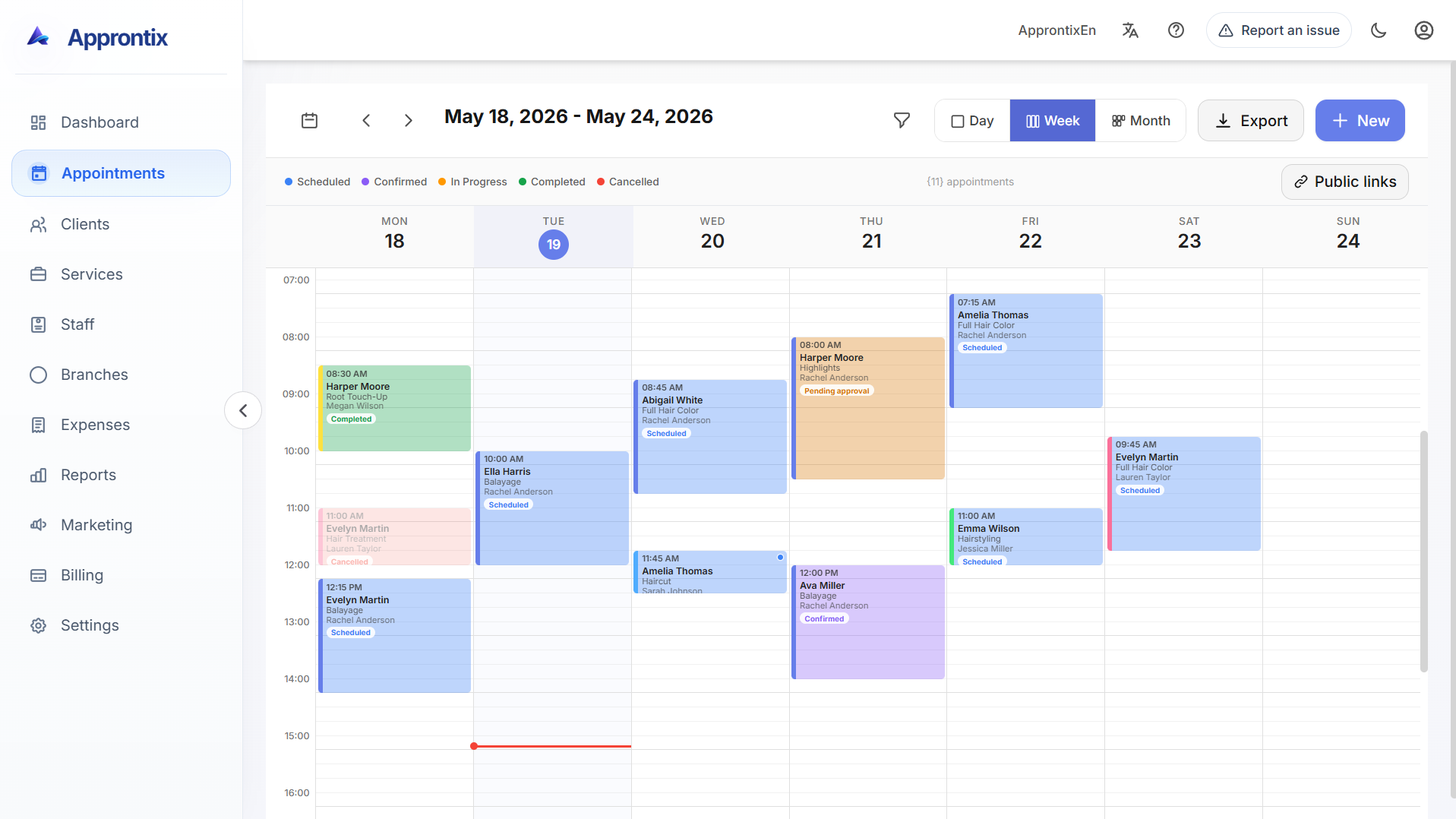
Live Approntix dashboard with appointments, performance indicators, client activity, and operational visibility.

See how Approntix covers appointment scheduling, client records, service setup, staff coordination, reports, booking links, and a customizable landing page for online reservations.
Live Approntix dashboard with appointments, performance indicators, client activity, and operational visibility.
Each page shows a real part of the product, what problem it solves, and when public booking links or a custom landing page start to matter.
Keep scheduling, service setup, assignments, and daily coordination inside one workflow instead of splitting work across chat, spreadsheets, and separate tools.
Owners and managers get clearer numbers around bookings, revenue, spending, and team performance as business grows.
Basic includes shareable booking links. Pro adds a customizable landing page with brand, content, media, SEO, and direct reservations.
Open each module to see what it solves, how it connects with the rest of the platform, and what changes between Basic and Pro on public presence.
Appointments, clients, services, and staff work better when team sees booking context, not only an empty slot on calendar.
These modules add more control when business needs visibility by branch, staff performance, spending, and permissions.
Share a public booking link first, then move into a landing page that matches brand and lets clients reserve without writing on WhatsApp.
Open each module.
Daily, weekly, and monthly scheduling with more operational context around each booking.
Open schedulingHistory, notes, visit context, and follow-up visibility tied to real appointment activity.
Open clientsControl catalog, duration, pricing, categories, and what each team member can perform.
Open servicesCoordinate assignments, availability, workload, and access for the people delivering the service.
Open staffKeep schedules, teams, and services visible as the business grows into more than one location.
Open branchesReview bookings, revenue, cancellations, staff performance, and operational trends from one place.
Open reportsTrack business expenses and keep a clearer view of the financial side of day-to-day operations.
Open expensesConfigure commission logic and keep performance incentives tied to actual service activity.
Open commissionsGive each role the access it needs without exposing the whole operation to every user.
Open permissionsShare booking links in Basic, then move into a branded landing page with booking, media, and SEO controls in Pro.
Open public presenceFree covers core operation. Basic adds reports and booking links. Pro adds branded landing pages, deeper controls, and more advanced operating workflows.
For a solo operation that needs to organize scheduling, clients and services from the start.
Best forIndependent professionals or early-stage teams.
Free
For small businesses that already share operations and need stronger visibility and reporting.
Best forSmall teams with one or multiple chairs, rooms or service stations.
MX$299
/monthYearly billing: MX$2,555
For growing businesses that need staff control, expenses, marketing and permissions.
Best forGrowing operations with more bookings and stronger commercial follow-up.
MX$699
/monthYearly billing: MX$6,500
Basic includes public links to book online. Pro adds a personalized landing page with booking, SEO settings, content blocks, and visual customization.
These answers focus on the current modules, public booking, and the real rollout path available today.
No. Scheduling is part of the system, but these pages also cover clients, services, staff, branches, reporting, expenses, commissions, permissions, and public booking workflows.
Share how many branches, staff members and appointments you manage so we can recommend the best plan and rollout path.