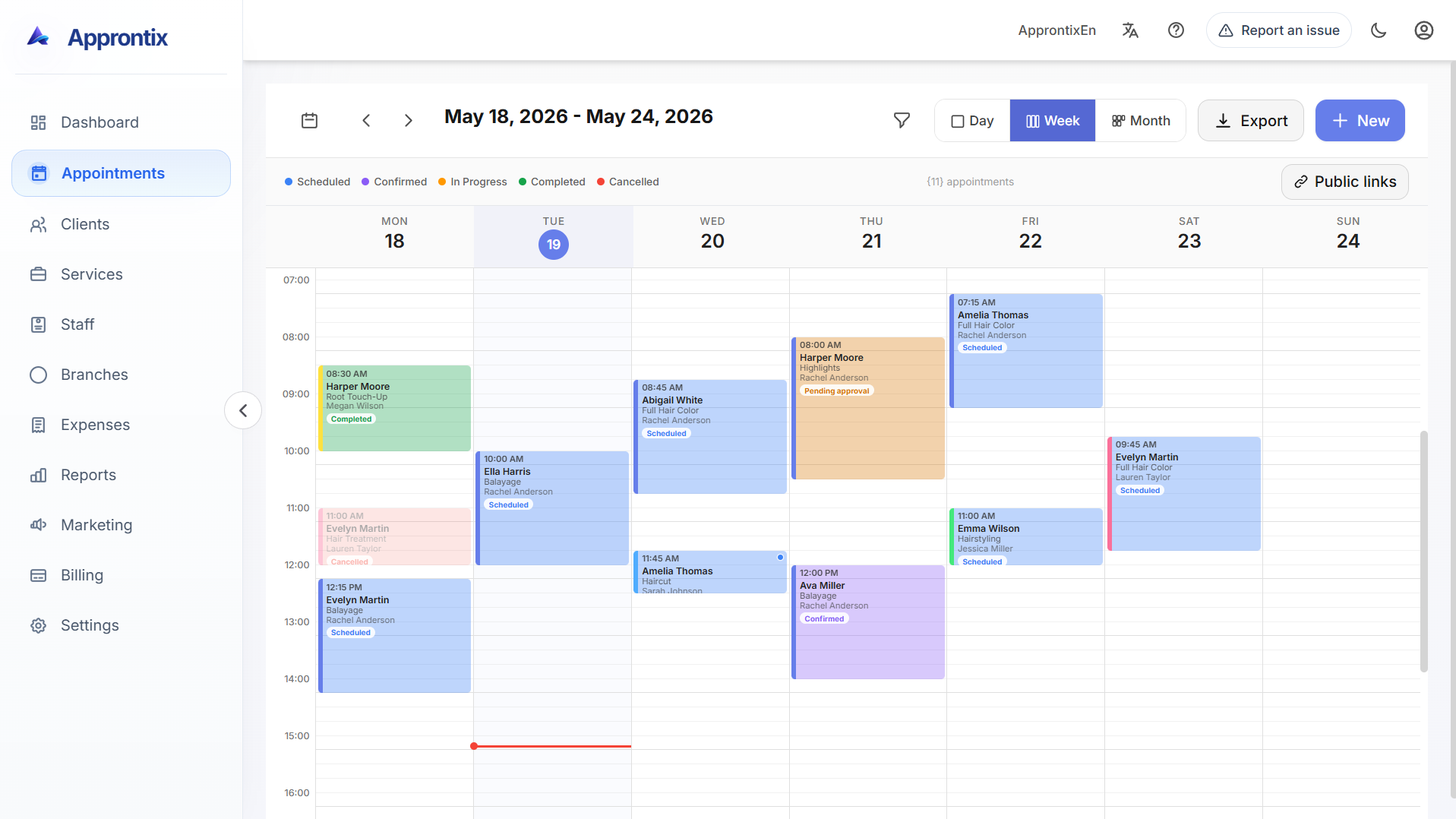
Live Approntix dashboard with appointments, performance indicators, client activity, and operational visibility.

Approntix scheduling is built for teams that need to move, confirm, and review bookings while staying close to staff, clients, and service context.
Live Approntix dashboard with appointments, performance indicators, client activity, and operational visibility.
This module is about daily operational flow, not only showing a calendar on screen.
Move bookings while keeping service details, assigned staff, and client visibility close.
The schedule works better when availability and assignments are easier to understand at a glance.
Daily, weekly, and monthly views help different roles stay close to what matters next.
The goal is to move bookings with better awareness of staff, services, and client flow.
Choose the view that best supports front-desk speed, manager control, or longer planning windows.
Keep service type, assignment, and customer context connected to each booking decision.
Make schedule changes without pushing the team into disconnected spreadsheets or chat threads.
Schedule multiple appointments for the same client and service at once. Choose individual dates and times or repeat selected weekdays until an end date. Available in Basic and Pro.
Keep client history visible around each booking.
Open clientsStaffCoordinate assignments and availability more clearly.
Open staffPublic siteTurn booking demand into a cleaner public reservation flow.
Open public presencePlansCompare plans after reviewing the scheduling workflow.
Open pricingSchedule multiple appointments for the same client and service at once. Choose individual dates and times or repeat selected weekdays until an end date. Available in Basic and Pro.
View featureCompare plan limits and capabilities to use this feature alongside the related modules your workflow needs.
For a solo operation that needs to organize scheduling, clients and services from the start, with online payments and a 1.5% Approntix fee plus Stripe fees.
Best forIndependent professionals or early-stage teams.
Free
For small businesses that already share operations and need stronger visibility, reporting, public booking links, and online payments with a 1.0% Approntix fee plus Stripe fees.
Best forSmall teams with one or multiple chairs, rooms or service stations.
MX$299.00
/monthYearly billing: MX$2,555.00
For growing businesses that need staff control, expenses, marketing, permissions, a branded landing page, and online payments with a 0.5% Approntix fee plus Stripe fees.
Best forGrowing operations with more bookings and stronger commercial follow-up.
MX$699.00
/monthYearly billing: MX$6,500.00
Basic includes public links to book online. Pro adds a personalized landing page with booking, SEO settings, content blocks, and visual customization.
These answers focus on operational fit, not generic calendar software claims.
No. The scheduling module is connected to clients, services, staff, and public booking workflows.
Share how many branches, staff members and appointments you manage so we can recommend the best plan and rollout path.