

Online appointment system: what it is and how to choose
Learn what an online appointment system should handle to organize bookings, availability, confirmations, clients, and payments for your business.
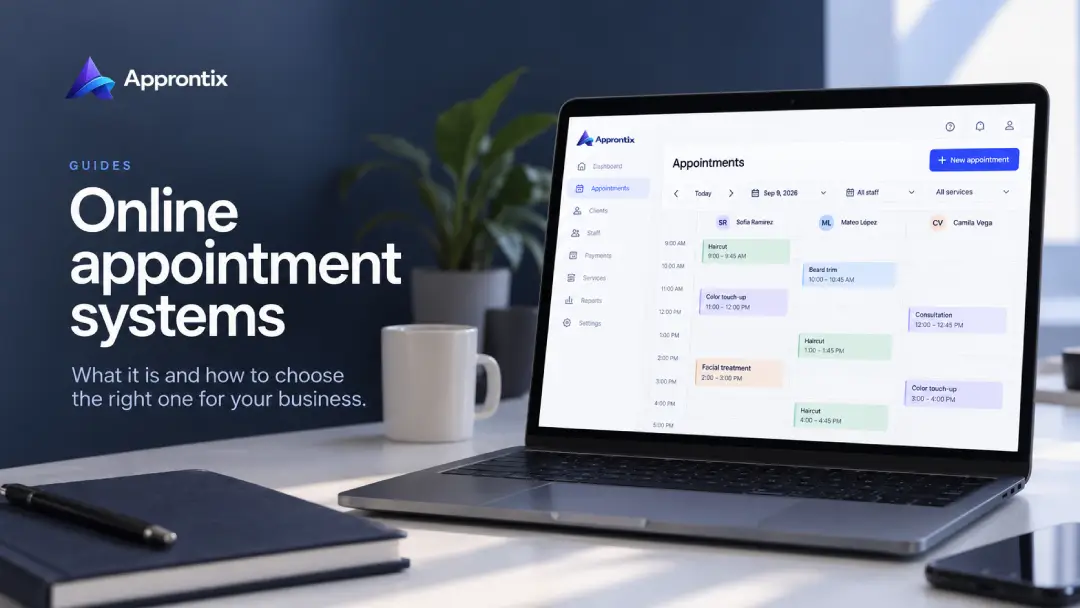
An online appointment system lets clients check available time and book without the business confirming every request from scratch. To work well, it must be more than a form: the booking should respect availability, record the chosen service, and remain connected to the team and the client’s history.
This guide explains what to review when choosing online scheduling for a service business.
To see how Approntix approaches appointment software for service businesses, visit the product page. This guide helps you assess the workflow you need before implementing an option.
What should happen when someone books
The ideal flow is easy for both sides to understand. A client selects a service, finds an available time, supplies the needed information, and receives a confirmation. On the business side, the appointment appears in the calendar with enough context to deliver the service and follow up if anything changes.
When one of these steps happens outside the system—for example, availability is checked in chat or payment is listed later in another tool—manual work returns. That is why it is worth assessing the complete journey before sharing a booking link.
Elements of a useful online appointment system
Availability based on your operation
The tool should show only times your business can serve. To do that, it needs service duration, team schedules, and, when relevant, which team members can deliver each service. Configure appointment scheduling and your service catalog first; public booking works better when that foundation is accurate.
Clear confirmations and changes
A booking should show the date, time, service, and location or format. Clients should also understand how to confirm, request a change, or cancel. Reminders and a short policy can reduce confusion and missed appointments. See our guide to reducing appointment no-shows if that is a recurring problem.
Client information where the team needs it
A booking becomes more valuable when it includes history, notes, and previous visits. A connected client record avoids asking for the same information every time and gives the team context before the appointment.
Payments or deposits based on your policy
Not every booking needs payment, but long or high-demand services may call for more commitment. If you decide to charge, check that the system relates the deposit to the booking and explains the policy clearly. Online payments should simplify the flow, not create another channel to manage.
A page or link you can share
An online appointment system should give you a direct path to booking. That can be a link for WhatsApp, social media, or a Google Business Profile, or a branded page. Approntix offers public booking links and a customizable landing page depending on the business’s public presence needs.
How to implement online scheduling
- Define services, durations, and responsible staff before opening time slots.
- Configure business hours and blocks that clients should not see as available.
- Publish a booking link and test it from a phone as if you were a client.
- Confirm what clients receive and what information reaches the team calendar.
- Explain how changes, cancellations, and deposits work before promoting the link.
This order helps reveal setup problems before real bookings arrive. It also makes it easier to decide whether you need additional communication or deposits for certain services.
Signs you need an online appointment system
Consider making the change if your team answers the same availability questions every day, schedules overlap, changes are lost in conversations, or no one can easily see which appointments are confirmed. Online scheduling does not replace personal service; it gives the team more time for it.
Approntix brings public booking, scheduling, clients, services, and staff into one flow for appointment-based businesses. Test it against a real week of your operation before deciding how to expand online booking.
Frequently asked questions
What is the difference between an online calendar and an online appointment system?
An online calendar can show and organize time. An online appointment system also connects public booking to services, clients, confirmations, and the team operation.
Does an online appointment system replace WhatsApp?
Not necessarily. WhatsApp can remain a customer service channel. The system centralizes availability and booking so the team does not need to rebuild the calendar from conversations.
Do I need a website to accept online bookings?
Not always. A public booking link can be enough to start. A branded landing page becomes useful when you want services, content, and direct booking in one place.